


It usually starts this way: you have one product and one documentation site. The product line grows, so you add another section to the sidebar. Then another. Each addition makes sense on its own, and for a while the structure works.
Eventually, the same navigation is serving products with different audiences, owners, and release schedules. Reorganizing the links is no longer enough. You need to decide what the documentation should still share.
Here are five ways to structure it, from one shared sidebar to separate sites connected by a common hub.
1. One sidebar for multiple products
One sidebar can support several products when they belong to the same workflow and serve the same audience.
Readers can move between products without returning to a portal. For the documentation team, it also means one search index and navigation model.
Docker Docs shows the pattern clearly. Its global sidebar includes Docker Desktop, Engine, Offload, Build, Build Cloud, Compose, Hub, Scout, and other products. They share one navigation because they support a connected workflow: develop locally, build container images, define multi-container applications, share images, and check their security.
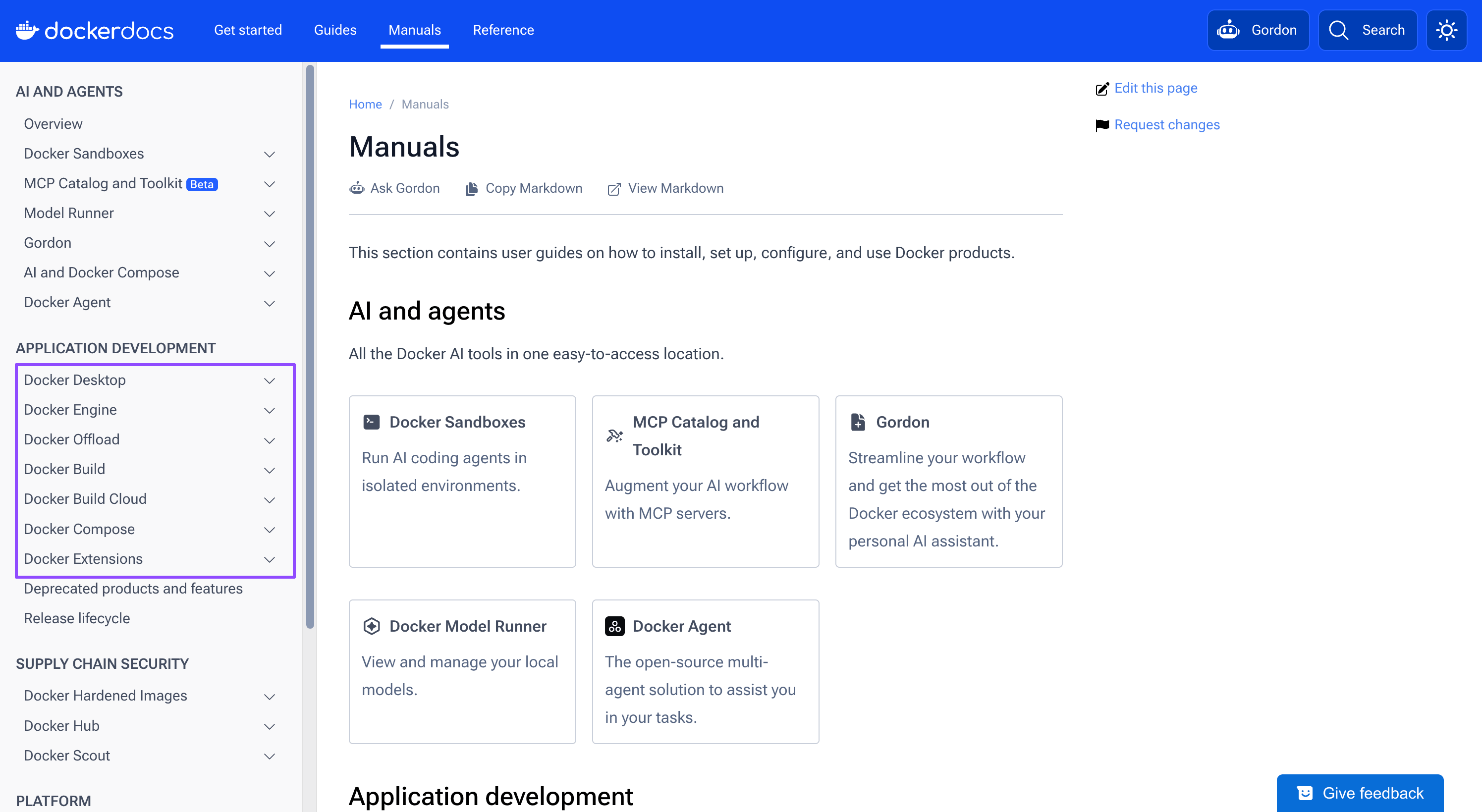
The length of the sidebar matters less than whether its categories make sense to the same reader. Split the experience when product teams need different structures or readers regularly encounter irrelevant sections.
2. Shared documentation with language-specific code
SDKs for Ruby, Python, Java, Node.js, Go, and .NET may look like separate products internally. To the reader, they are often different ways to complete the same task. Publishing a complete guide for each SDK duplicates the prerequisites, warnings, and troubleshooting.
Stripe’s server-side SDK documentation keeps the task and explanation shared while letting readers select the language used by installation instructions and code examples.
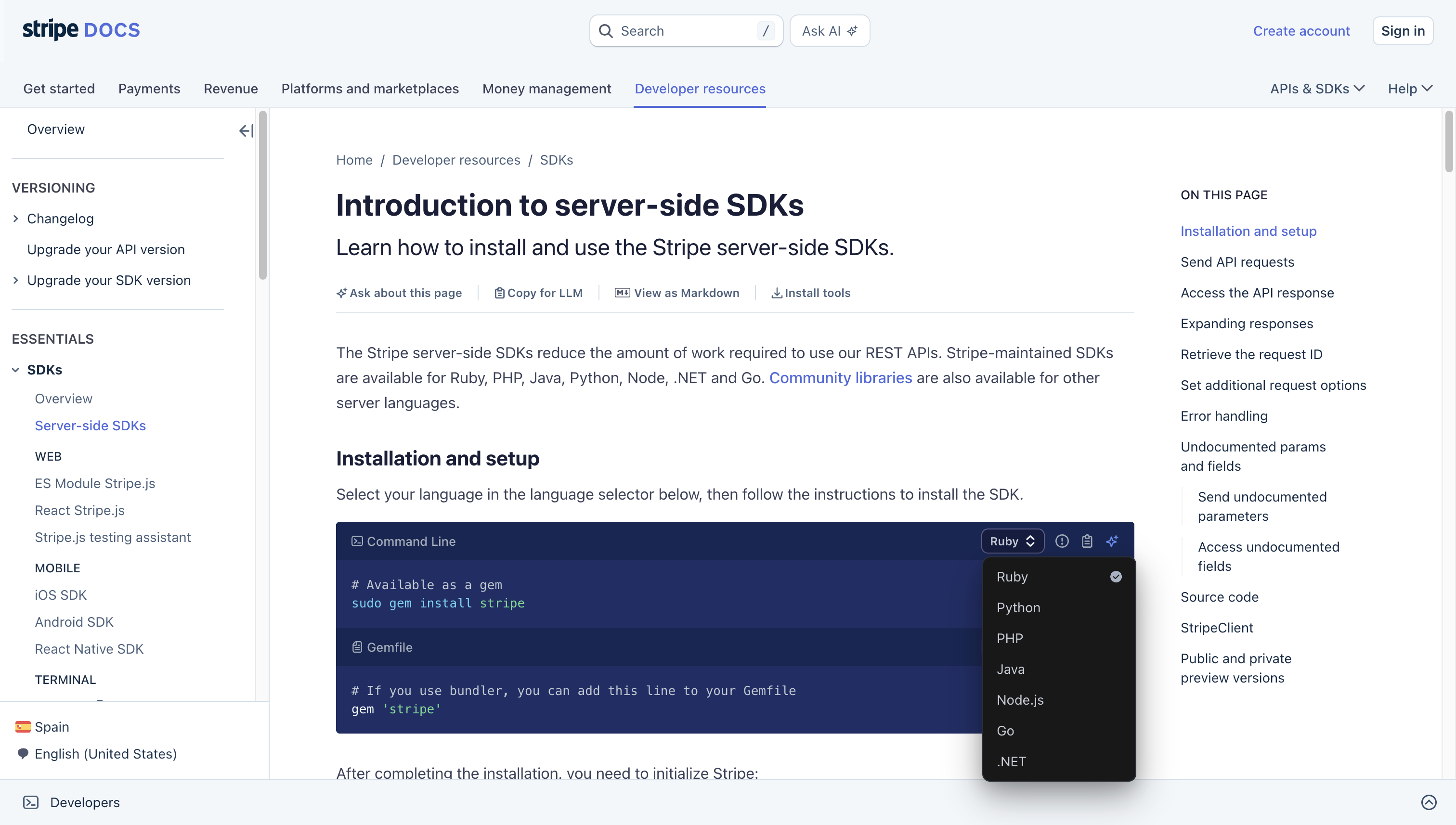
This works when the goal and sequence stay the same and only the code, package names, or small technical details change. Create separate doc sets when setup, concepts, or constraints also diverge. A mobile SDK and a server SDK may share a brand but still need different user journeys.
3. Shared documentation with a page-level variant selector
Sometimes the reader needs more than a different code sample. The same task may have different steps for a cloud plan, an enterprise edition, or a self-managed release.
If most of the explanation is shared, a page-level selector can carry that context across the site. The reader chooses once, and the documentation shows the relevant pages, steps, and navigation.
GitHub Docs uses a selector at the top of the page. Readers can switch between Free, Pro, and Team, GitHub Enterprise Cloud, and supported GitHub Enterprise Server releases. The selected context becomes part of the URL and controls which content appears.
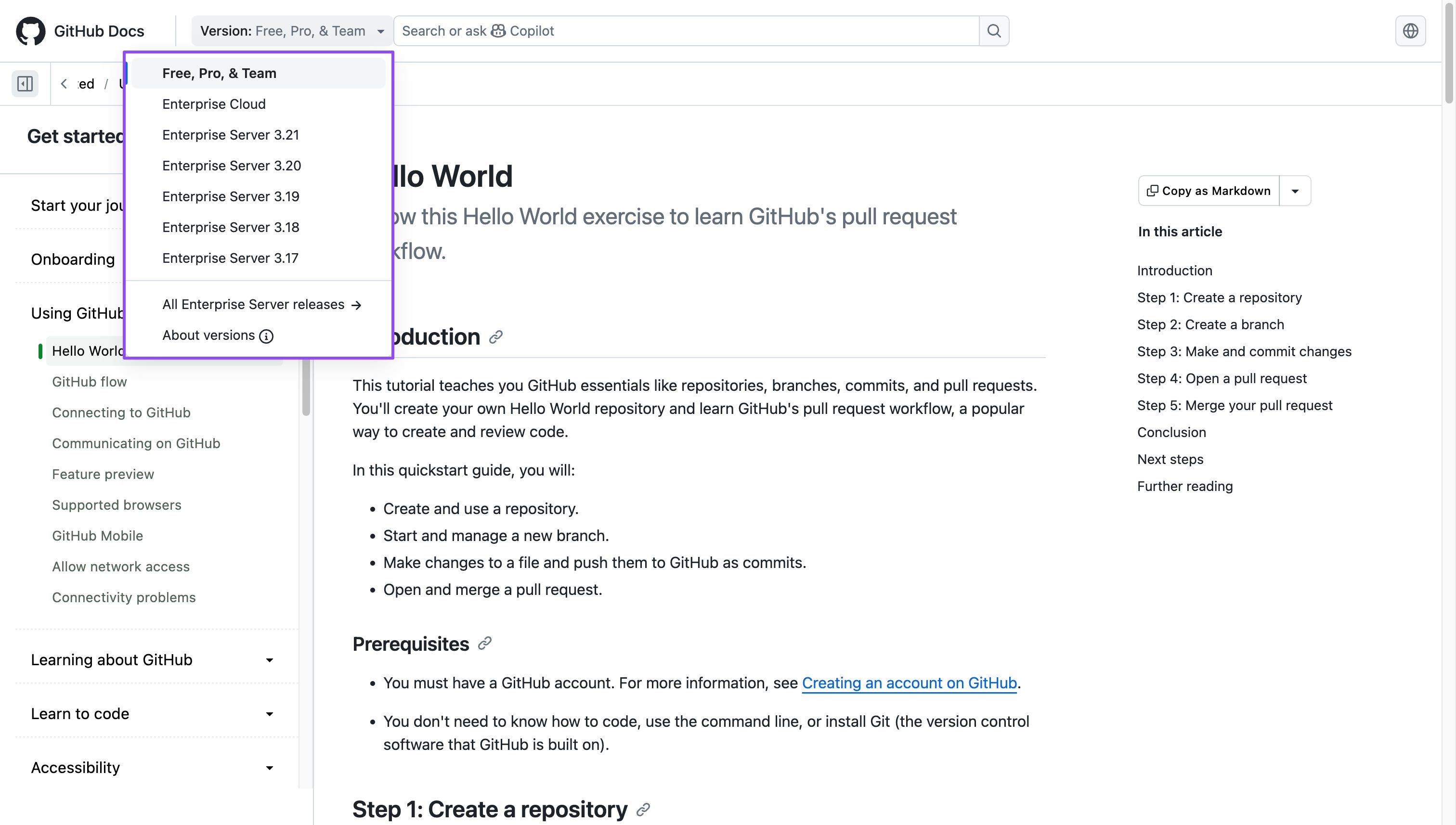
GitHub maintains these variations from a single source using metadata and conditional content, as described in its versioning documentation. This works when every edition can still share one information architecture, but the instructions differ often enough to distract readers.
When only a few procedures differ, the selector can stay local to those sections. Camunda’s API documentation uses SaaS and Self-Managed tabs to change authentication steps and commands without changing the surrounding page.
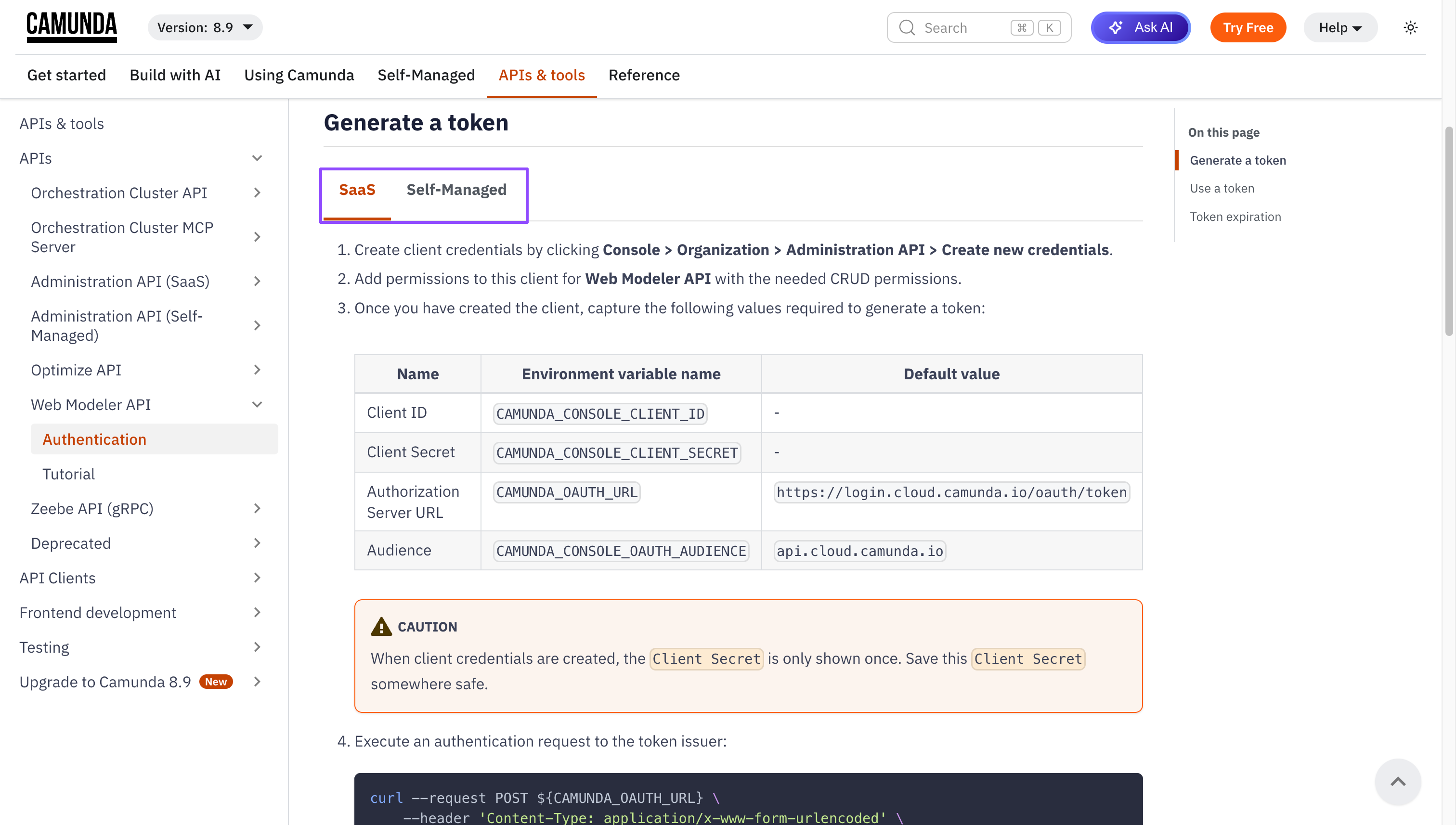
If each variant needs different navigation, ownership, or release workflows, a selector may be hiding a larger architectural split.
4. Separate product areas within one documentation site
Some products belong to the same platform but need different documentation structures. Putting both in one sidebar would mix concepts, setup paths, and reference material that only apply to one product.
PlanetScale’s documentation gives Vitess and Postgres their own entries in the top navigation. Selecting either product opens a focused documentation area with its own sidebar. Shared platform, API, and CLI documentation remains available from the same header.
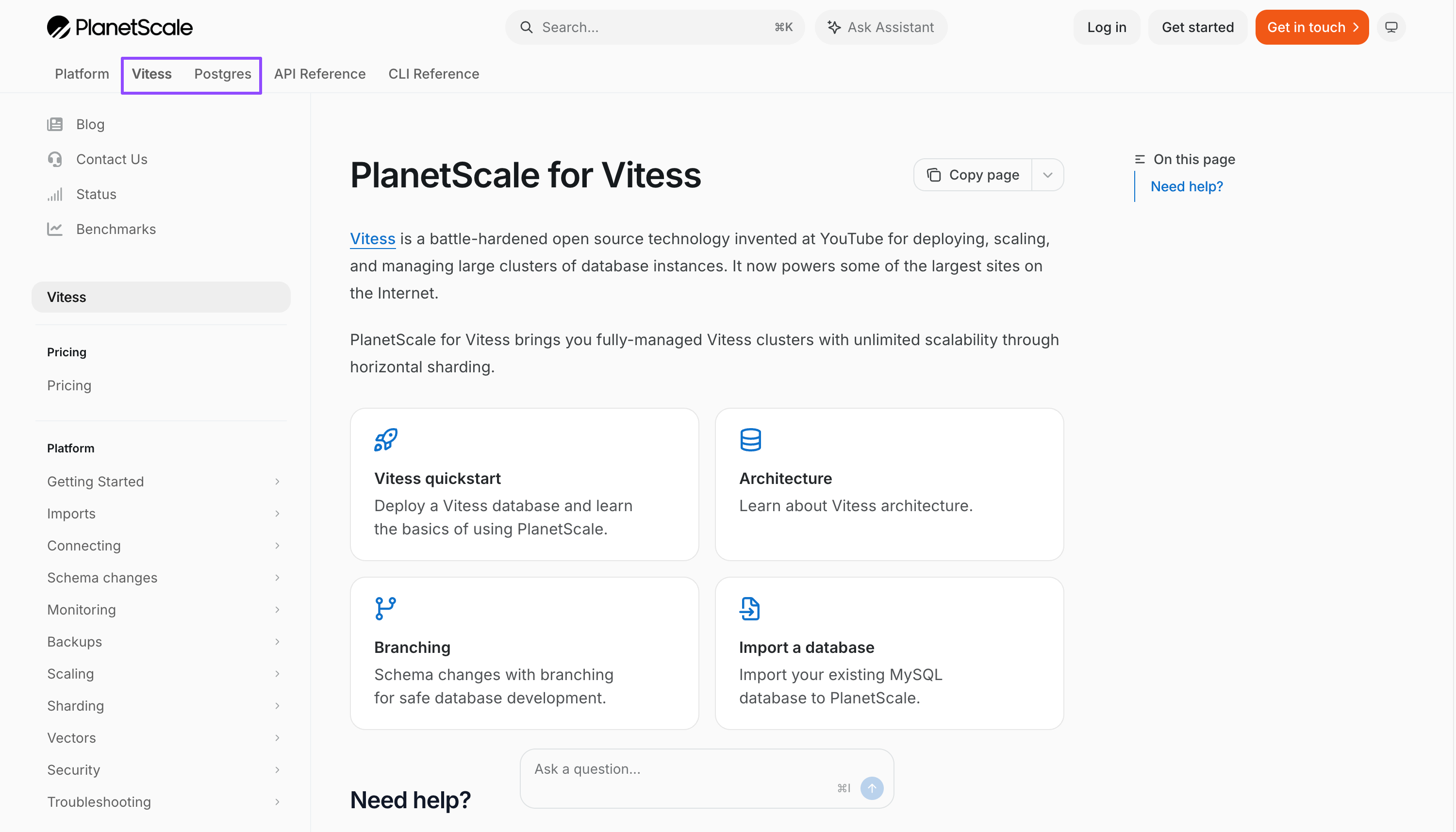
This is easier to navigate than a product directory when there are only a few clear choices. Each product can have its own information architecture while the company keeps one documentation domain, search experience, and visual system.
For a larger catalog, the same idea needs another layer. Cloudflare’s documentation directory adds search, product descriptions, and category filters before readers enter product-specific documentation.
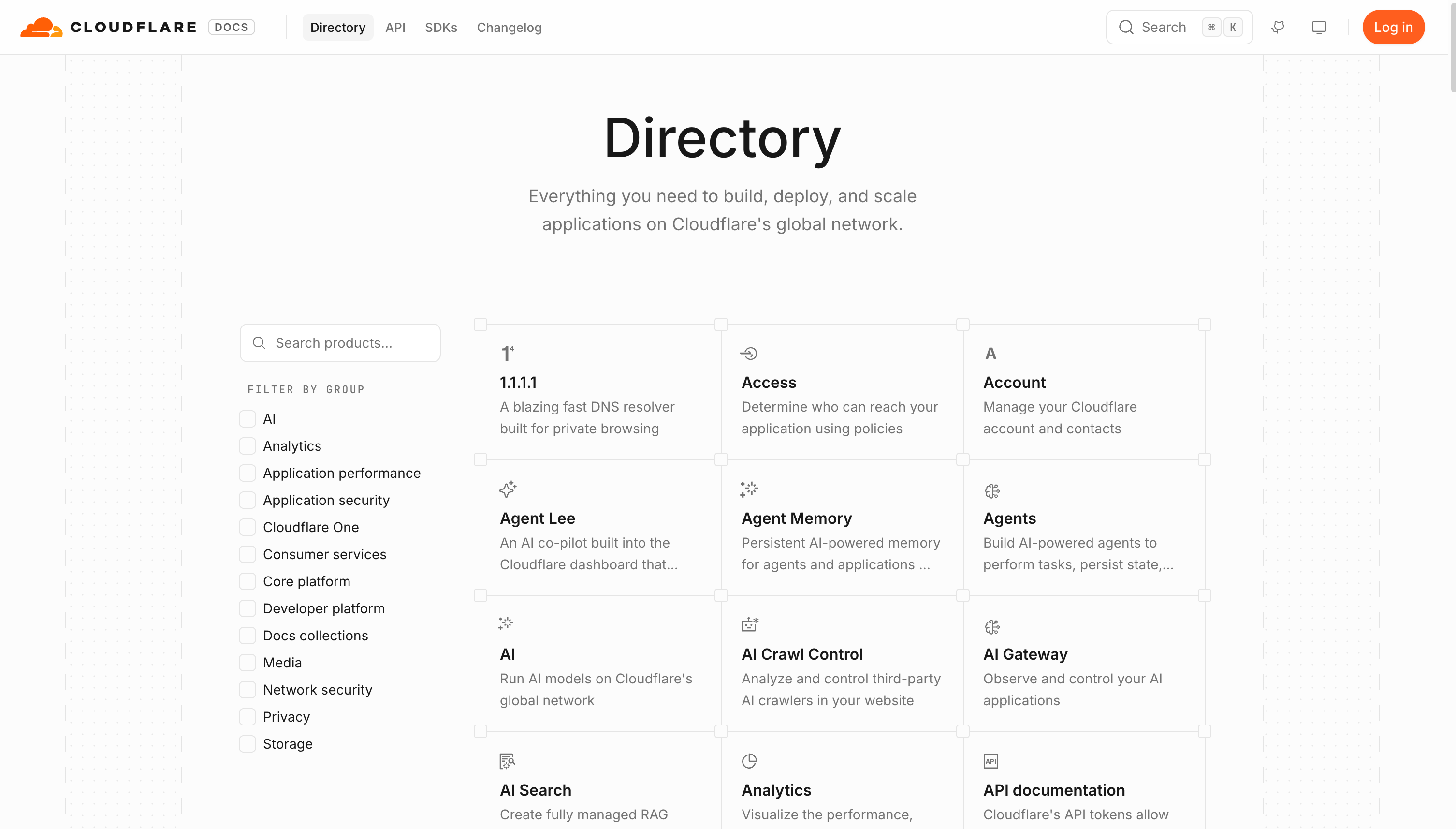
At that scale, product names alone are not enough. The directory needs descriptions, categories, synonyms, and task-oriented routes for readers who know their problem but not the product that solves it.
5. A hub connecting federated documentation sites
Separate sites make sense when products within the same company have distinct brands or audiences, or when different teams own them and need autonomy over their documentation. Each team can shape its site around its product and users. A central hub explains how the products relate and gives readers one place to start.
We built this model for ScyllaDB. ScyllaDB Cloud, the database server, drivers, Operator, Monitoring Stack and Migrator can keep their own documentation and release processes. The central portal gives readers one place to begin.
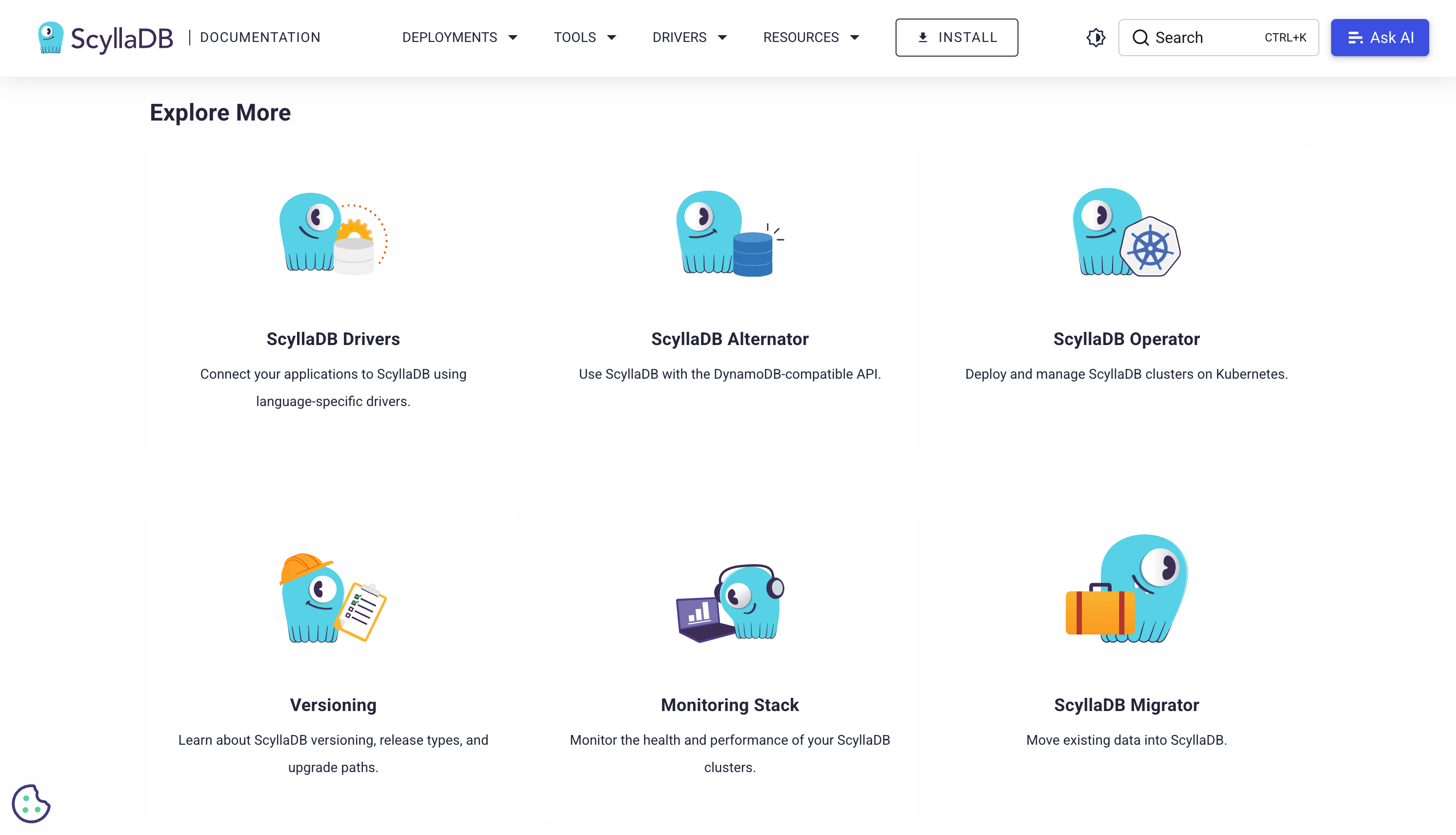
In this case, the architecture follows the ownership model. Product teams maintain documentation close to their code, while shared theme packages and integrations make the sites feel like one system. Our ScyllaDB case study describes this “docs in tree” approach in more detail.
A federated model still needs shared theme packages, cross-site search, analytics, metadata, and an owner for the hub. That platform work is justified when forcing autonomous teams into one repository would create more coordination than it removes.
Which multi-product documentation architecture should you choose?
Before choosing a pattern, answer four questions:
Audience: Do the same people use these products in the same journey?
Ownership: Does one team maintain the documentation, or do product teams need autonomy?
Release cadence: Can the content build, version, and publish together?
Overlap: Is most of the content shared, or only the brand and visual design?
Use the simplest option that matches those answers. If the same audience and team can navigate and maintain the content, keep it together. Split the experience when readers or owners need a clearer boundary.
If you are reorganizing an existing site, run a pilot project before committing the full documentation set to the new structure.
How are you organizing documentation across products? Reply and tell me what’s working and what isn’t.