

How to enable documentation pull request previews in GitHub
Set up PushPreview to auto-generate live docs previews for every PR.

You’re reviewing a documentation pull request. You download the branch, build the docs locally, check if the new screenshots broke the layout, verify the formatting looks right. Repeat for every PR.
PushPreview automates this. It builds a live preview for every pull request and posts the URL in a comment. Reviewers click the link, see the changes, and leave feedback on the actual content instead of fighting with build commands.
Here’s how to set it up.
Disclaimer: built PushPreview. It’s free for open-source projects and paid for commercial use.
Prerequisites
GitHub repository with documentation
Docs-as-Code setup (Markdown, static site generator)
Docs build process (npm, yarn, etc.)
Step 1 - Create a PushPreview API Key
Sign up at app.pushpreview.com
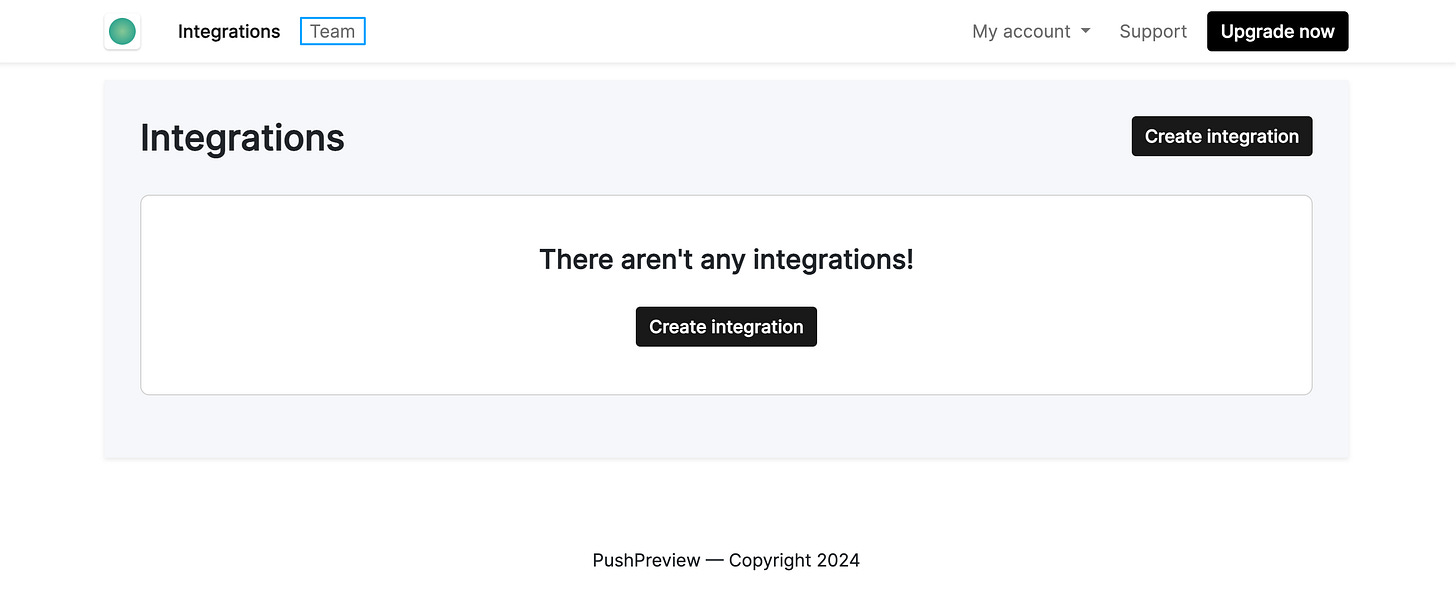
Navigate to the Teams tab:
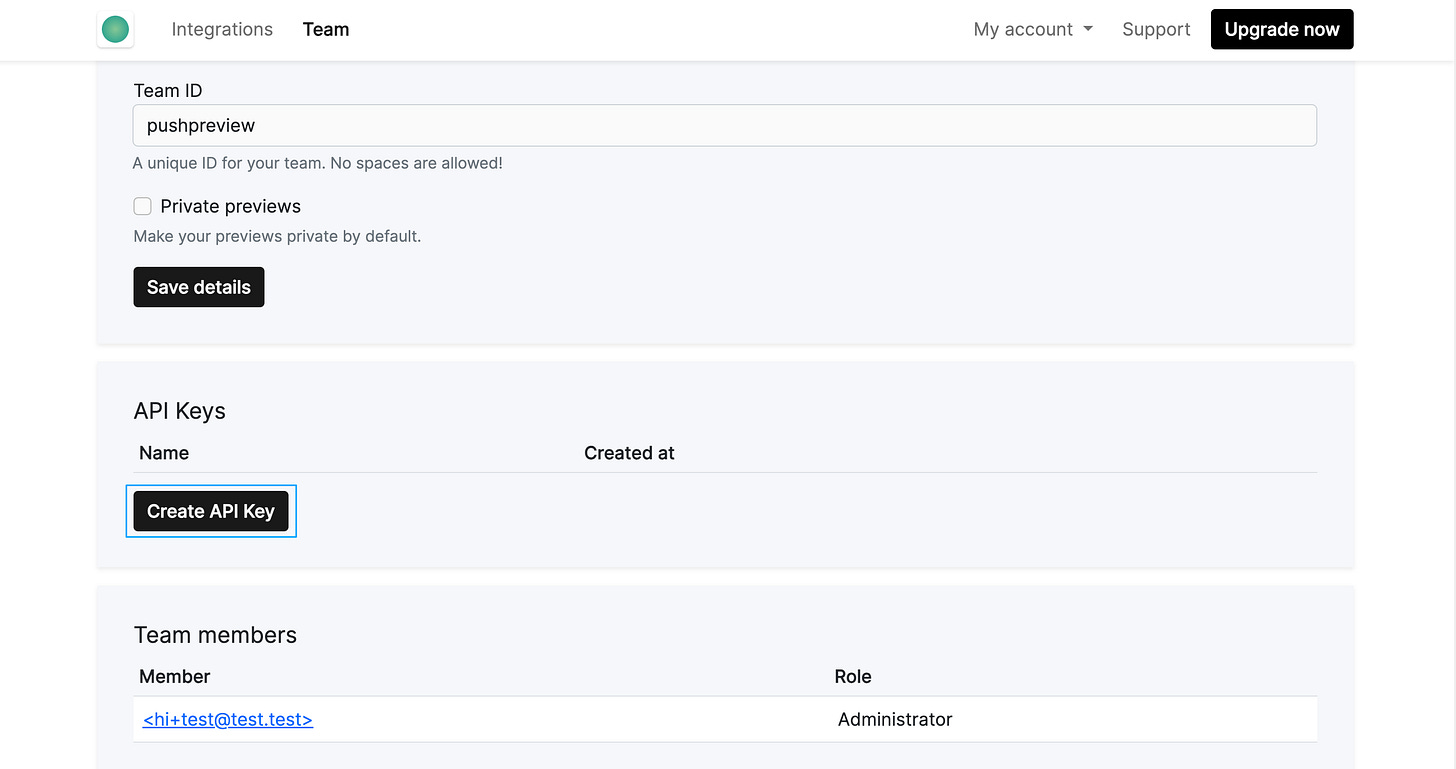
Under API keys, click Create API Key:
Copy the generated API key (you’ll need it next).
Step 2 - Configure a GitHub secret
Add your PushPreview API key to GitHub:
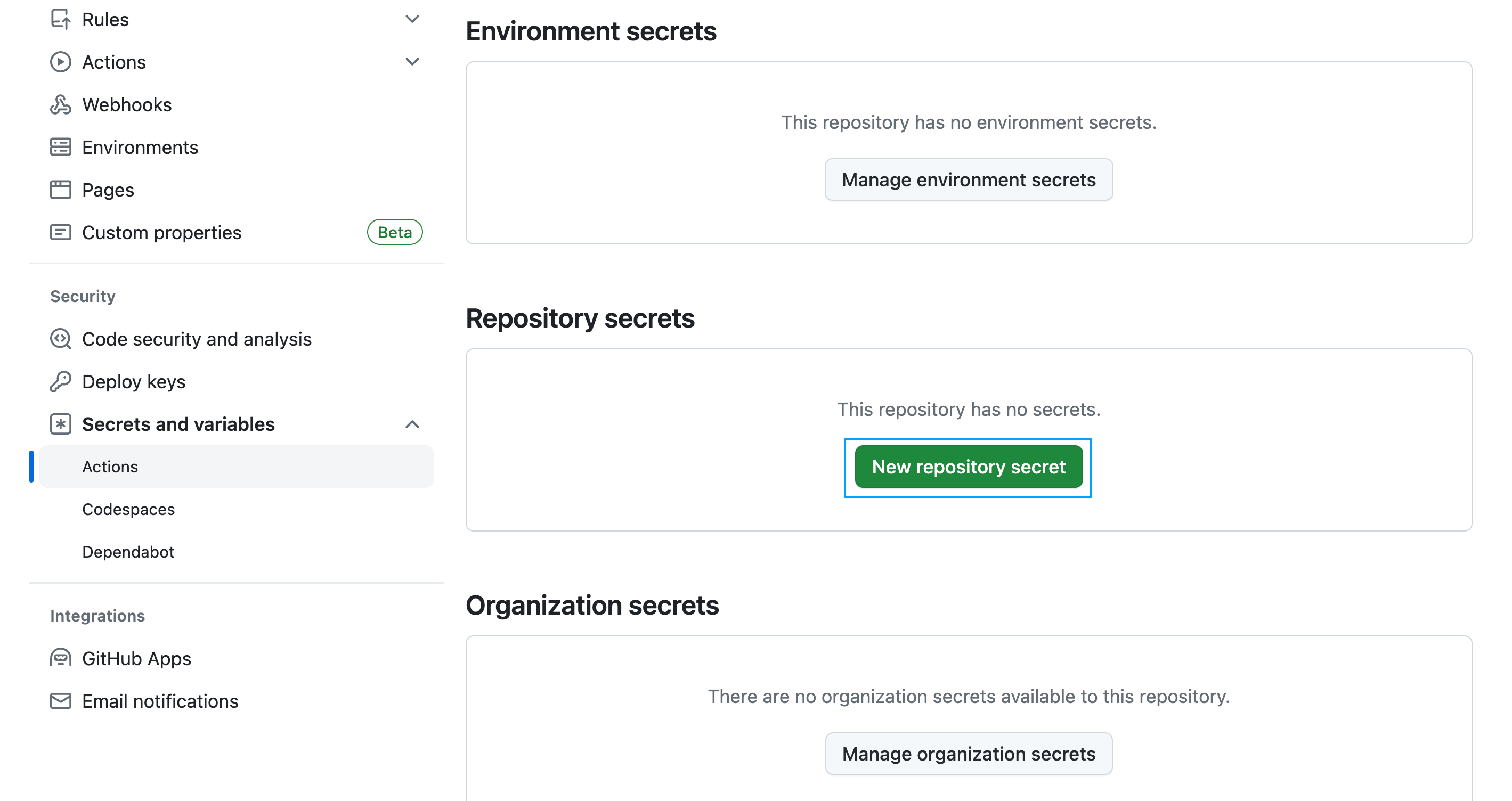
For a single repository:
Go to repository Settings > Secrets and variables > Actions
Click New repository secret
For multiple repositories (organization-wide):
Go to organization Settings > Secrets and variables > Actions
Click New organization secret
Add the secret:
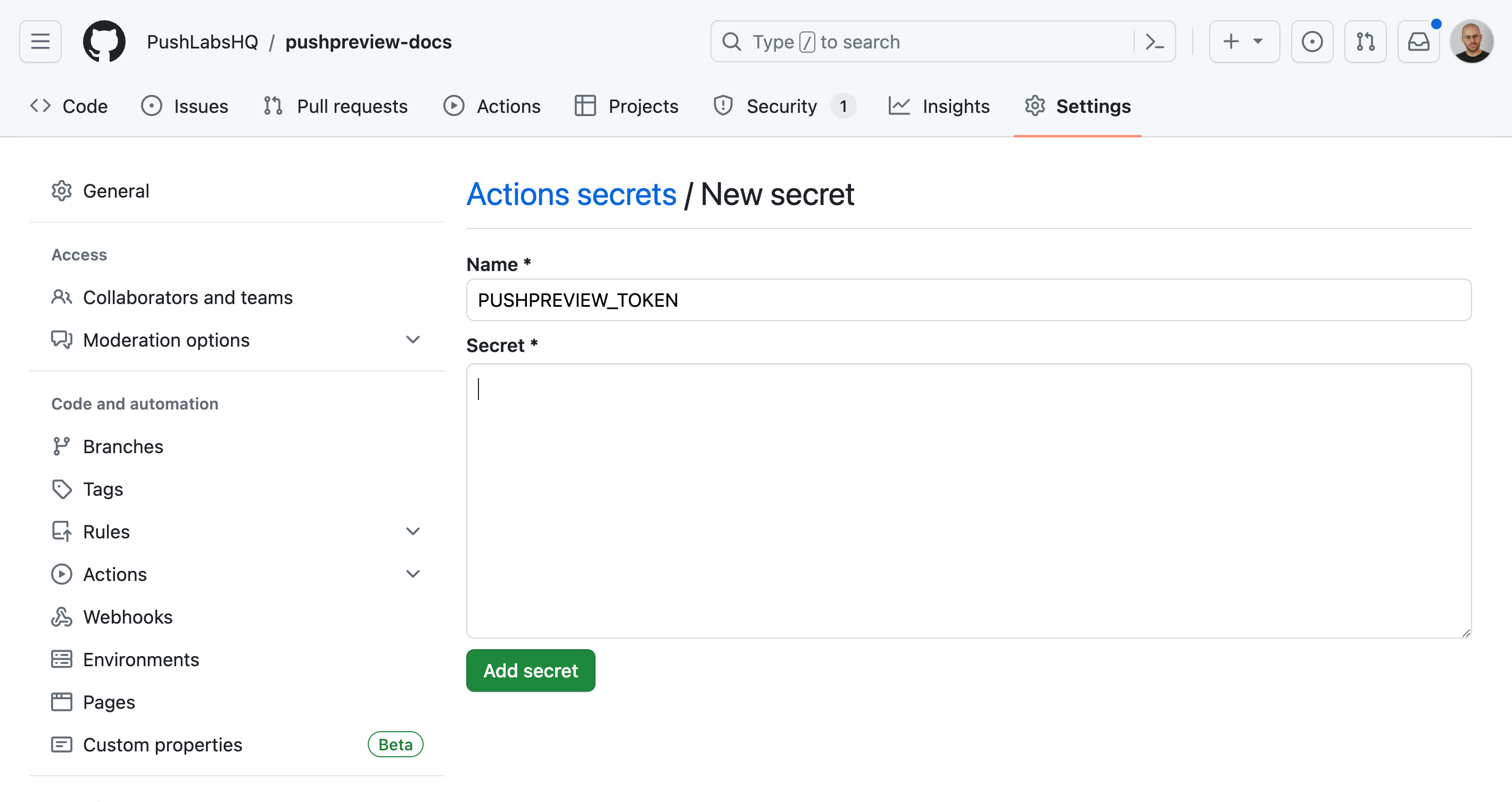
Name:
PUSHPREVIEW_TOKEN
Value: Your PushPreview API key
Click Add secret.
Step 3: Add the GitHub Action
Create .github/workflows/pushpreview.yml in your repository:
name: PushPreview

on:
  pull_request_target:
    types:
      - labeled

jobs:
  preview:
    runs-on: ubuntu-latest
    if: github.event.label.name == ‘preview’
    steps:
      - uses: actions/checkout@v3
      - name: Comment
        run: |
          gh pr comment ${{ github.event.pull_request.number }} --repo ${{ github.repository }} --body “⚙️ Hang tight! PushPreview is building your preview. URL will be shared soon.”
        env:
          GH_TOKEN: ${{ secrets.GITHUB_TOKEN }}

      - name: Set BASE_URL
        run: echo “BASE_URL=/github/${{ github.repository }}/${{ github.event.number }}/” >> $GITHUB_ENV

      - name: Setup environment
        uses: actions/setup-node@v3
        with:
          node-version: 18

      - name: Build site
        run: |
          cd docs
          yarn install --frozen-lockfile
          yarn build

      - name: Generate preview
        uses: PushLabsHQ/pushpreview-action@1.0.5
        with:
          source-directory: ./docs/build
          github-token: ${{ secrets.GITHUB_TOKEN }}
          pushpreview-token: ${{ secrets.PUSHPREVIEW_TOKEN }}
Modify the Setup environment and Build site steps to suit your static site build process:
- name: Setup environment
uses: actions/setup-node@v3
with:
  node-version: 18

- name: Build site
  run: |
    cd docs
    yarn install --frozen-lockfile
    yarn build
Ensure the source-directory in the Generate preview step points to your HTML files location post-build:
- name: Generate preview
  uses: PushLabsHQ/pushpreview-action@1.0.5
  with:
    source-directory: ./docs/build
    github-token: ${{ secrets.GITHUB_TOKEN }}
    pushpreview-token: ${{ secrets.PUSHPREVIEW_TOKEN }}
Save and push the updated pushpreview.yml to your repository main branch.
Note: Enabling pull request previews for Docusaurus? You will also need to follow an extra step. For more information, see Pull request previews for Docusaurus.
Step 4: Test It
Create a new pull request.
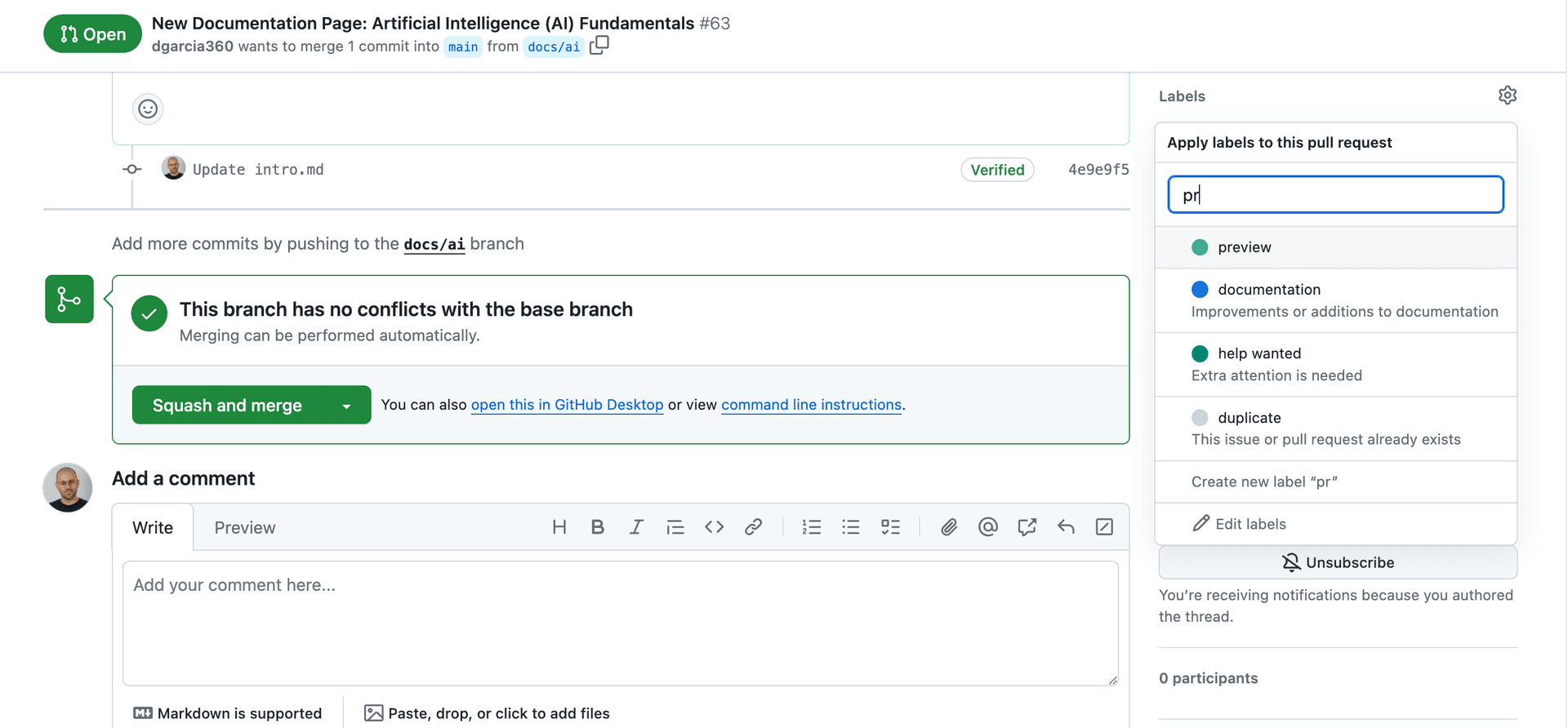
Add the preview label to the PR. (Don’t see the label? Create it).
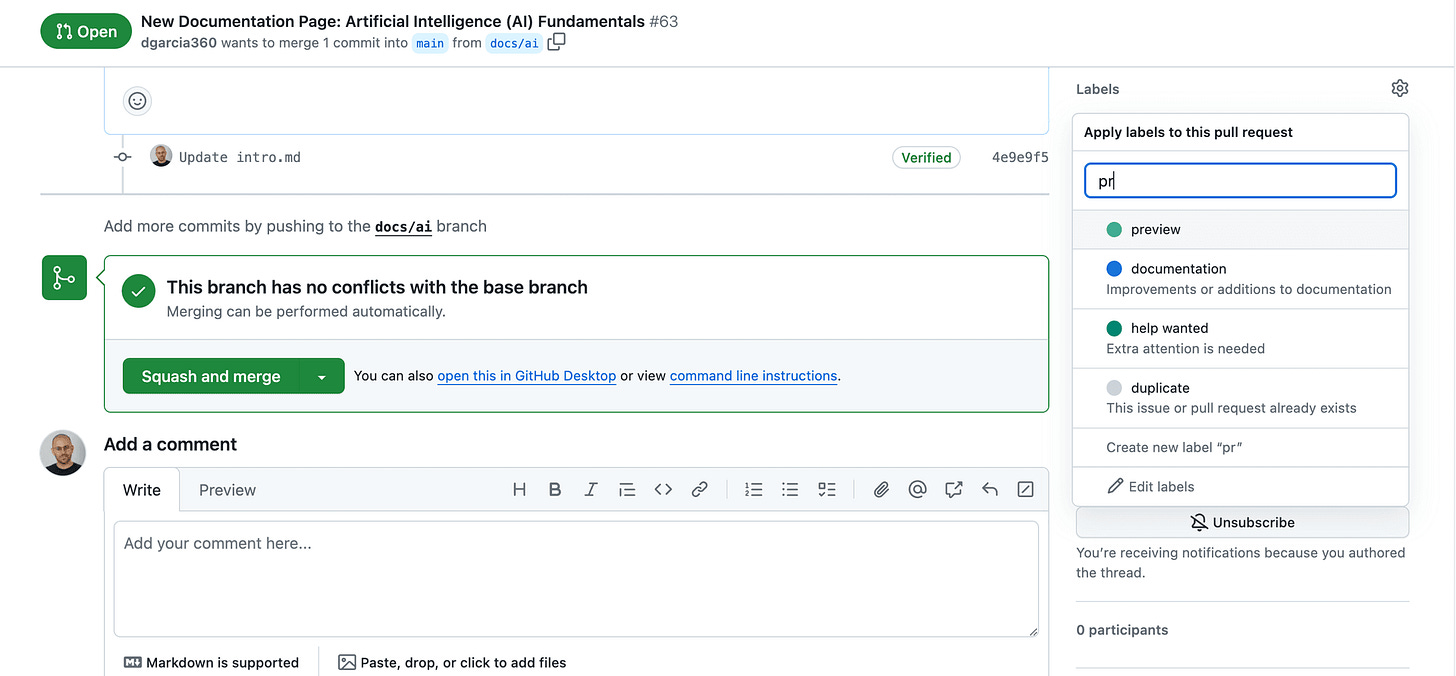
Wait for the GitHub Action to run.
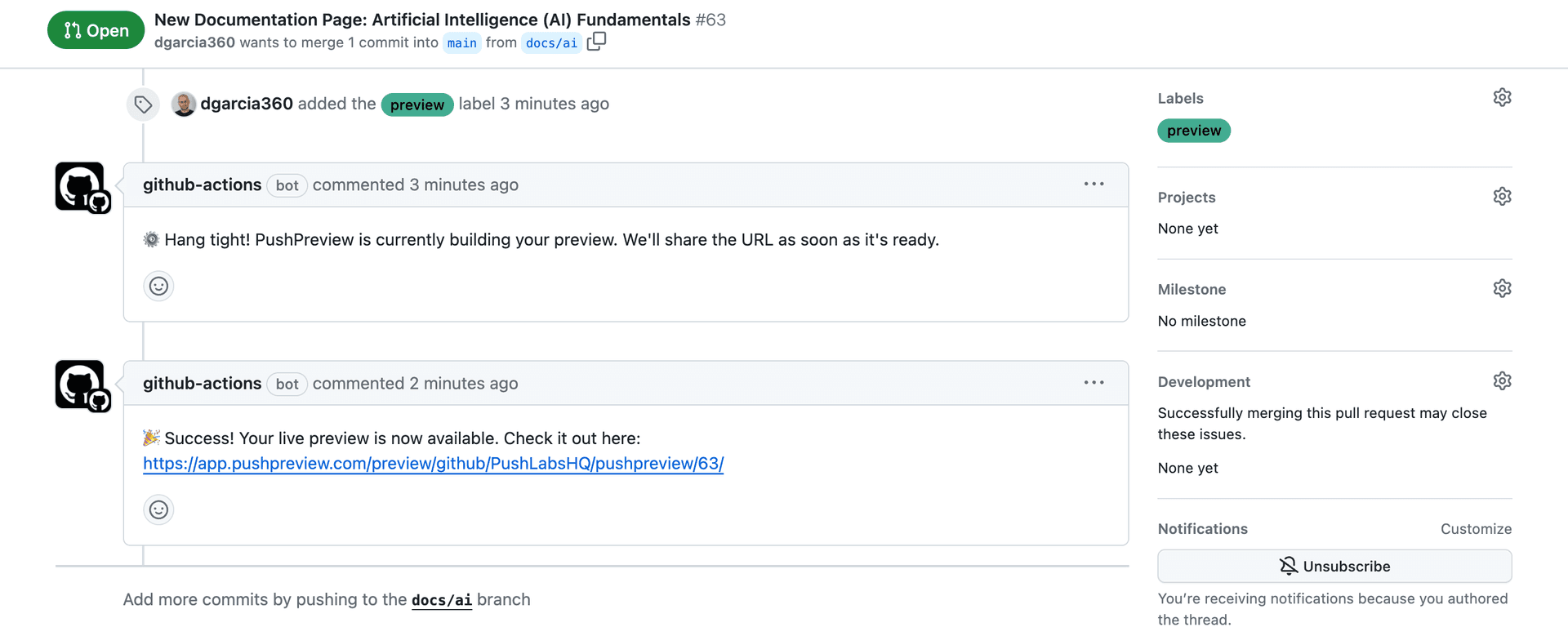
PushPreview comments on the PR with the preview URL:
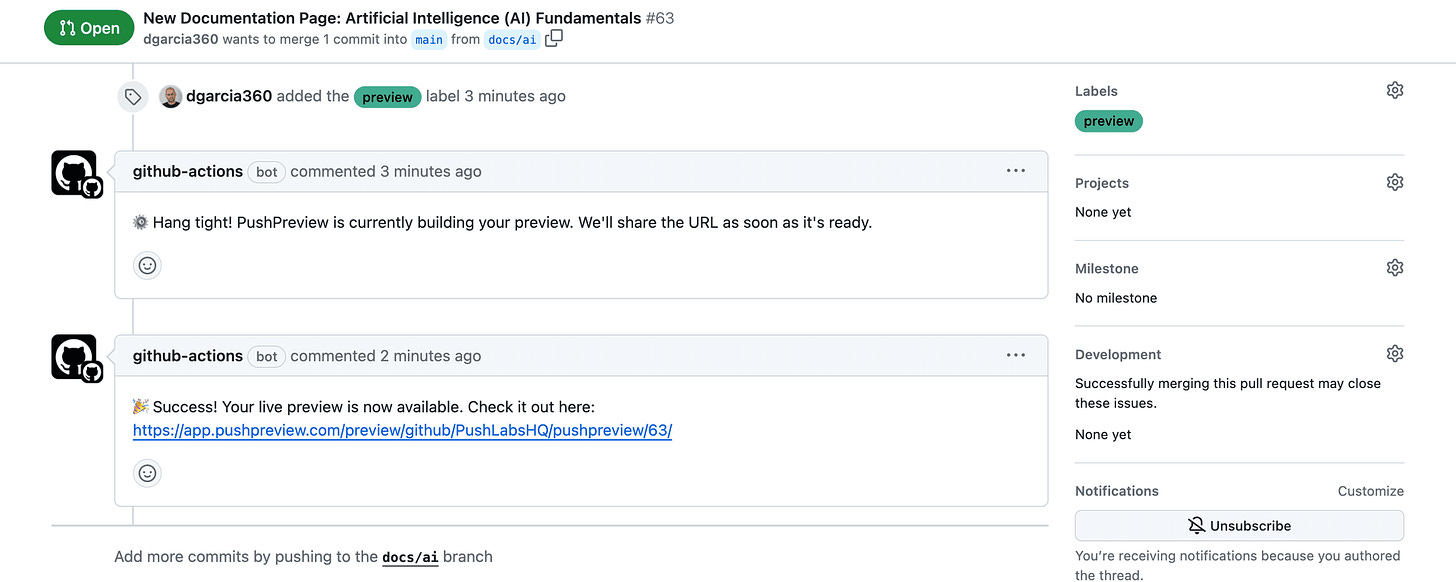
Click the URL to see your changes live.
Troubleshooting
Preview fails to build: Check GitHub Actions logs. Verify your build command works locally. Confirm source-directory points to the right location.
No comment appears: Make sure the preview label is added. Check that PUSHPREVIEW_TOKEN is in GitHub secrets. Verify the workflow file is in .github/workflows/.
Preview shows 404: Check source-directory contains your built HTML files. For Docusaurus, make sure BASE_URL is set correctly.
No more building locally to review docs
Every PR gets a live preview automatically. No downloading branches. No local builds. Reviewers see the actual changes and focus on the content.