


You publish documentation. Users struggle with it, give up, or contact support. Eventually someone tells you the docs were confusing, but by then dozens of users have already hit the same problem.
Here are strategies for catching documentation issues earlier, ordered roughly by impact.
Pre-publication review
Get feedback before documentation goes live. Aim for up to three reviewers with different perspectives: a subject matter expert to catch technical errors, a technical writer to check clarity and style, and someone without context to test whether it actually works.
You don’t need all three. Even one helps, as long as you tell them what to focus on. “Check technical accuracy” gets you further than “review this.”
Also, not everything needs the same level of review. A new tutorial deserves a thorough look. A typo fix in a reference page just needs a quick scan.
This breaks down when deadlines are tight or reviewers are unavailable, but preventing issues is always cheaper than fixing them after users complain. Schedule the review time upfront, because teams always forget it in their estimates.
Monitor communication channels
Watch where users discuss your documentation: support tickets, forums, GitHub issues, social media, internal Slack. Look for patterns like:
“The docs don’t explain X.” “I couldn’t figure out how to Y.” “Spent 2 hours on Z before...”
When you spot one, turn it into a documentation issue, track it, and fix it.
This should be your baseline. Users talk about your documentation whether you listen or not, and the feedback is unfiltered. They’re not trying to be nice, they’re venting or asking for help, which is exactly what makes it valuable.
On-page feedback widget
Put a feedback mechanism directly on the documentation page. Users click a button, highlight a section, and say what’s wrong. No account needed, and the feedback routes straight to your issue tracker.
Tools like PushFeedback let users annotate specific sections visually. They see the issue, highlight it, and leave a comment, and you get a screenshot with context.
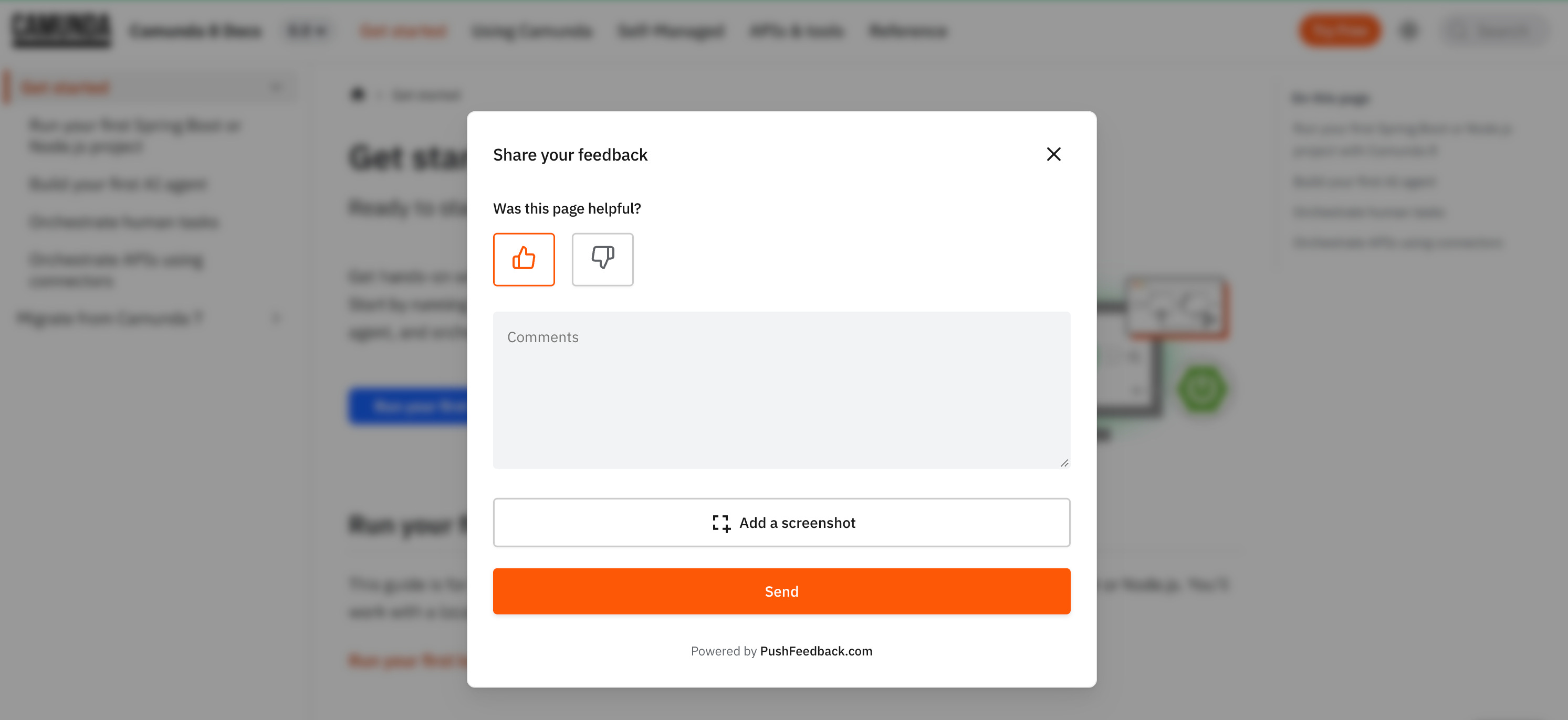
The lighter-weight alternative is linking to GitHub issues. It works for developer-heavy audiences and costs nothing, but most users won’t leave the page, create an account, and give public feedback.
User testing sessions
Watch someone use your documentation in real time. Don’t explain anything, don’t help them, just watch where they pause, re-read, or give up.
This works well for complex workflows, multi-step tutorials, and onboarding. Simple reference docs have nothing to “test.”
We once helped Finboot run an “escape room” using their docs. The company split into teams and tried to solve a puzzle by following the documentation, sending blockchain transactions in the correct sequence. Everyone hit the pain points firsthand: inconsistencies, ambiguous instructions, missing steps. The whole company came out motivated to fix it.
It’s intensive to set up, but it makes abstract documentation problems concrete.
User interviews
Schedule time with users who recently used your docs and ask what worked and where they got stuck. Interviews reveal things other methods miss: the specific sentence that confused them, the assumption they made that broke everything.
The catch is they don’t scale. External users are hard to schedule at volume, and anonymous user bases can’t be reached at all. Best for internal documentation and B2B products where you know who your users are.
Surveys
Ask broad questions. “How helpful is our documentation?” “What topics are missing?” Surveys give you trends and general sentiment, but not actionable issues. Users don’t remember which specific guide confused them two weeks ago.
Good for measuring documentation health over time, not for finding specific problems.
Where to start
Most teams start with pre-publication review and channel monitoring. Those two cover the most ground for the least effort. Add the others based on your constraints: budget, team size, user base, and how much traffic your docs get.
Your documentation improves when you stop waiting for complaints and start actively looking for problems.