


Suppose the English quickstart gets a new authentication step. The Japanese version still describes the old setup.
Someone needs to pass that change to a translator, review the update, and publish it. Meanwhile, readers need to know which instructions they can follow.
Decide what readers see while they wait
Agree on this before the next update. Common options include:
Show the current English page until the translation is ready. Clearly label it as English and explain that the translation is pending.
Keep an earlier translated edition available. Show which product version it covers and link to the current documentation.
Publish all required languages together. Include translation and review in the release schedule.
For the quickstart, that decision determines whether Japanese readers see the new English instructions, an earlier supported version, or a translated update released alongside the English one.
1. Flag the change
Include translation work when updating the English guide. Create a task that links to the changed page and explains what needs attention: “Add the new authentication step to the Japanese quickstart.”
Assign someone to handle the update and someone to review it. The reviewer needs to see the original change.
2. Send it to the translation workspace
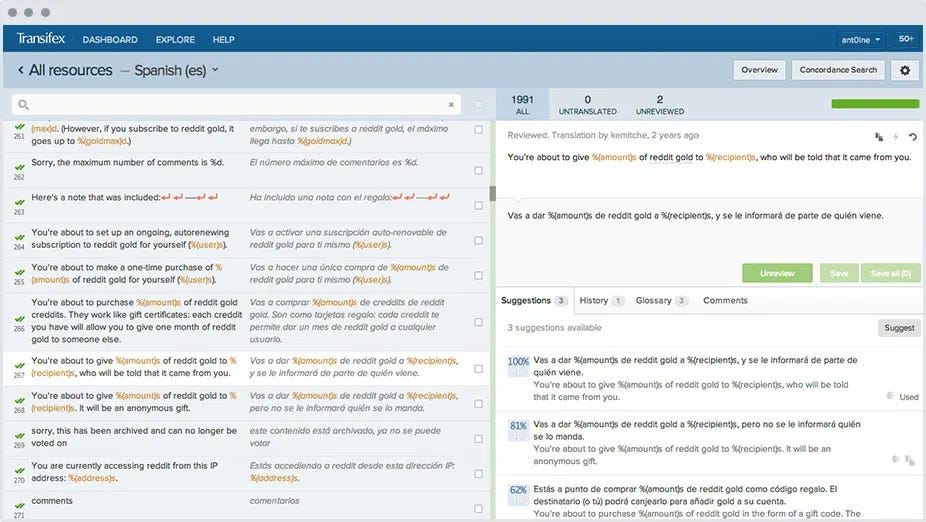
Tools such as Transifex and Lokalise provide a shared workspace for translation and review.
Send the updated content through your configured integration or file upload. Make sure the translator can identify the changed passage and read the surrounding page for context.
3. Update the translation and terminology
For the authentication step, the translator may need an agreed translation for “access token.” Record it in a shared glossary and use it consistently across the quickstart and related guides.
The code identifier access_token stays unchanged. If the product interface is still in English, keep its labels recognizable so readers can find the controls described in the translated instructions.
4. Review the rendered page
Bring the updated translation into a preview of the documentation site.
Have the reviewer follow the new authentication step. Check the commands, links, screenshots, and any prerequisites it introduces. A translation can read naturally while pointing to an old screen or omitting information needed to complete the task.
The reviewer also needs enough knowledge of the language and product to assess whether the explanation is accurate.
5. Publish and record what was checked
Publish the approved Japanese update and remove any temporary translation notice.
Record which version of the English page was used for the translation. When that page changes again, the next reviewer can identify the changes made since the last translation review.
Your framework’s localization guide covers the technical connection between the source files and the published site: see Sphinx or Docusaurus.
If you’re still choosing languages and scope, start with Should you translate your documentation?.